Query Security Roles from SQL in AX 2012
It’s not something common, but in some cases it can be useful to check which security roles a user has by querying the database. The ideal option would be to use web services or something similar, with X++ code like the following (code extracted from chapter 10: “Licensing, Configuration and Security” in my book):
static void QueryRoles(Args _args)
{
    SecurityRole            securityRole;
    SecurityUserRole        securityUserRole;

    while select securityUserRole
            where securityUserRole.User == 'admin'
        join securityRole
            where securityRole.RecId == securityUserRole.SecurityRole
    {
        info(strFmt("%1", SysLabel::labelId2String(securityRole.Name)));
    }
}
If we insist on doing this query from SQL Server we get a surprise. The SecurityUserRole table, which stores assigned roles for each user, exists in the AX transactional database, but the SecurityRole table, which stores the roles themselves, does not. It would be logical to think the table may exist in the model database (_model), but we do not find it there either.
Read Team Foundation Server Items from Microsoft Dynamics AX 2012 (ALM-V)
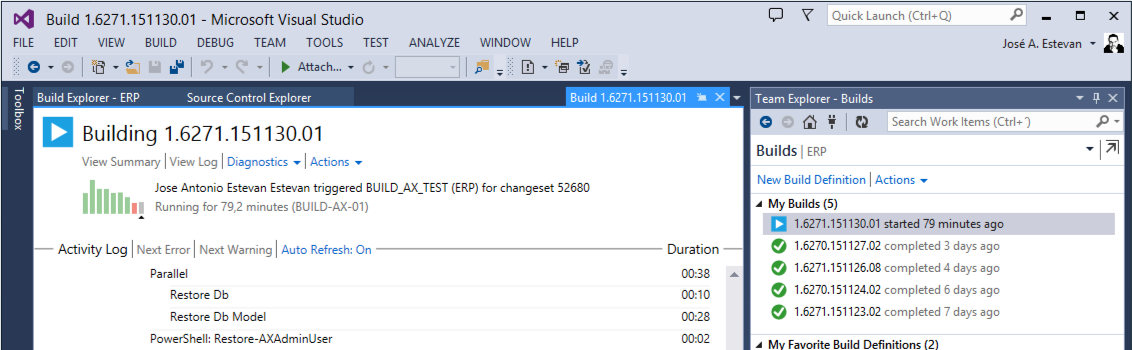
I am briefly returning to one of the longest series of posts on this blog so far: AX 2012 integration with Team Foundation Server, not only for source code control but also as a tool to manage the team’s work. In previous chapters we already saw how to install and configure TFS (this changes between versions, and we also saw that nothing needs to be installed when using the cloud version), and how we can create TFS WorkItems to manage work from that tool.
Read moreIn Search of the Lost Table... Table Inheritance in AX 2012
If you have ever created or maintained a solution that accesses the Microsoft Dynamics AX 2012 database directly (for example, an external Business Intelligence system), you may have seen the “ghost table” behavior. There are many examples; let us analyze the OMOperationUnit table.
This table exists in the AOT, we can inspect it from Dynamics AX, and we can see that it contains data, so that data must be stored somewhere. However, the table does not exist in the underlying SQL Server database. So where is the data?
Read more
Book: Development in Microsoft Dynamics AX 2012 (Spanish)
JULY 2024 UPDATE for the 10th anniversary of its publication:
Updated a few links that were no longer working. The book is no longer available, although you may still find some copies on Amazon.
If you are looking for a book about the latest version of the product, I recommend this one by Adria Ariste: Extending Dynamics 365 Finance and Operations Apps with Power Platform, published this year (2024).
Read more
Download Microsoft Dynamics AX 2012 Application from Team Foundation Server (ALM-IV)
It has been a long time since the last entry in this series, but here we are again. Let us walk through a real scenario: we start working with a customer and when we ask for the information required to connect to their application, they only give us a username, a password, and a URL for a Team Foundation Server project. That does not have to be complicated, right? It really is not, even when that URL points to a cloud-hosted TFS instance (now Visual Studio Online, which for a while was called Team Foundation Service).
Read moreMicrosoft MVP Global Summit 2013
Last week, the Microsoft MVP Global Summit 2013 was held in Seattle, bringing together MVPs from all technologies around the world with the Microsoft teams that develop those technologies. During these days we were able to enjoy three intense days of talks about the present and future of Microsoft Dynamics AX that unfortunately we cannot share for now, as well as meet and discuss with the product team aspects that affect us as customers and users and that we would like to improve.
Read moreMicrosoft Dynamics AX 2012 R2 AxBuild.exe
When the new features of Cumulative Update 7 for Microsoft Dynamics AX 2012 R2 were announced, like most AX-focused technicians I immediately started testing the new AxBuild utility. It was not the only change, but it was clearly one of the most expected improvements to reduce application compile times, which had increased significantly since R2 was released (we had been discussing this for a while).
To understand this utility and why it improves performance so much, keep these concepts in mind:
Read moreStatement of Direction for MS Dynamics AX July/2013
Yesterday, the latest update of the Statement of Direction for MS Dynamics AX document was published, telling us what Microsoft has in mind for our product over the coming months/years. This latest review is not very long and does not provide much long-term information, which suggests that Microsoft has some surprises in store that it does not want to publish yet, not even to its Partners network. It is not surprising, considering information about the next version has already leaked, and that version is under NDA commitments…
Read moreHOWTO: Active Directory Information from X++
I had this Job around from a time when I needed it to automatically enable/disable users in Microsoft Dynamics AX (tested on AX 2009) when they were disabled in the domain. I’m publishing it so I don’t lose it and in case someone else can get value from it as well :).
static void JAEE_IterateActiveDirectoryUsers(Args _args)
{
    str                 computer = new xSession().clientComputerName();
    xAxaptaUserManager  mgr = new xAxaptaUserManager();
    xAxaptaUserDetails  usr;
    container           doms;
    int                 d, u;
    str                 dom, login, name, sid, email;
    ;

    // iterate AD domains
    doms = mgr.enumerateDomains(computer);
    for (d = 1; d <= conlen(doms); d++)
    {
        dom = conpeek(doms, d);
        setprefix(dom);

        // iterate AD domain users
        usr = mgr.enumerateDomainUsers(dom);
        for (u = 0; u < usr.getUserCount(); u++)
        {
            if (usr.isUserEnabled(u) && !usr.isUserExternal(u))
            {
				// get information from AD
                login = usr.getUserLogin(u);
                name = usr.getUserName(u);
                sid = usr.getUserSid(u);
                email = usr.getUserMail(u);

				// stuff happens here, you can compare AD data with AX User info

                info(strfmt("%1 - %2 - %3 - %4 - %5", dom, login, name, email, sid));
            }
        }
    }
}
Download
Read moreMicrosoft Dynamics AX 2012 ALM with Team Foundation Server (ALM-III)
In the previous post in this series, we looked in detail at how to install and perform the basic configuration of a Team Foundation Server 2010 server, and we also assumed the installation of Visual Studio 2008 or 2010 configured with the required updates to connect to this server. Our server was installed and configured with one or more project collections, but no project had been created yet.
In this post we are going to see how a Team Foundation Server 2010 server can help us manage the application lifecycle at a functional level, without getting into technical details, and how this functionality will help us from the earliest project stages when gathering requirements, to the final stages with incident management and change management. The first thing we need to manage our project is, as expected, a project. Creating a project cannot be done from TFS2010 web access, so we will need to connect to the server using Visual Studio. In this chapter we will work with Visual Studio 2010, which we will almost certainly have installed on our Microsoft Dynamics AX 2012 development machine. On the Visual Studio 2010 start page, we choose the Connect To Team Foundation Server option:
Read more